Concerns management
Browse and Search Collapse all
Concerns management
What are "concerns" in Horus?
Assessors/supervisors can raise concerns ("some concern" or "major concern") about a foundation doctor in the assessment forms on Horus: Self-TAB; TAB feedback form; PSG feedback form; CS end of placement report; ES end of placement report; ES end of year report
Foundation doctors, supervisors and administrators (as appropriate in each individual case) need to review any concerns raised and deal with them as required. The "concerns management" feature was added to Horus, to allow users to easily spot any forms where concerns have been raised and thereby support the relevant foundation doctor in a timely manner.
How are "concerns" displayed in Horus?
Concerns are displayed on a number of Horus pages (visible to users with the relevant permission(s)):
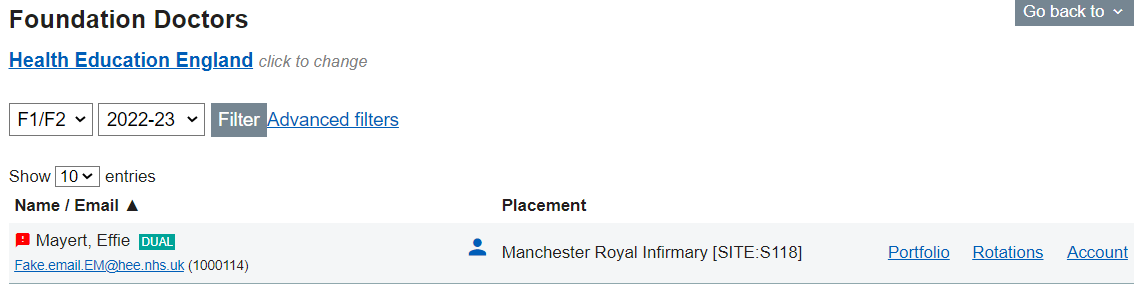
- Admin menu › Foundation Doctors - next to the FD doctor's/NTG's name
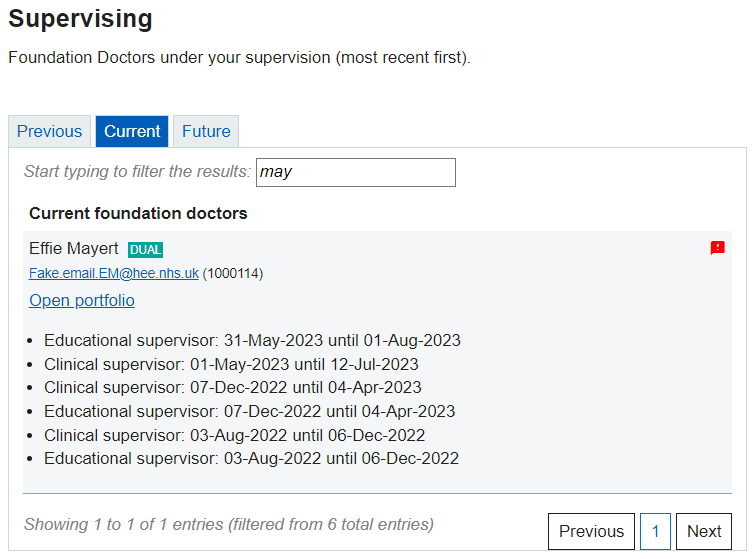
- Trainer menu › Supervising - to the right of the FD's/NTG's name
- Portfolio › Contents - next to the form that contains the concern(s)

- Portfolio › Concerns - each concern is listed individually, grouped against the form in which it was raised

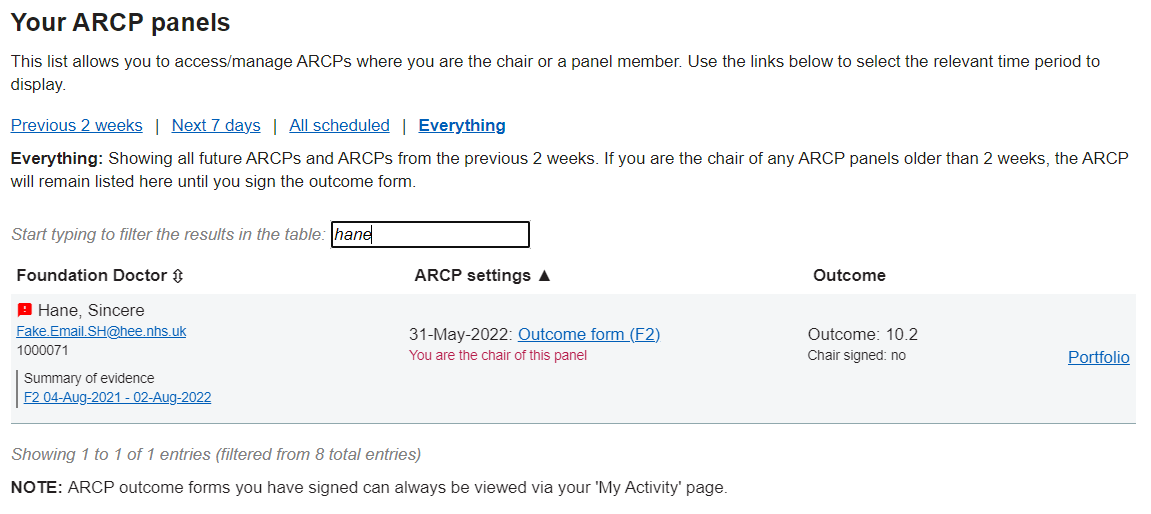
- ARCP Panels - Next to the individual foundation doctor's name
How do I view a list of only Foundation Doctors/NTGs who have concerns?
- Admin menu › Foundation doctors
- Advanced filters
- ‘Concerns?’ drop down › select "Only concerns"
- Select "Filter"
Foundation doctors/NTGs can also be filtered by concerns on the following pages:
- Mandatory Certificates
- Overview page
- TAB Overview page
- ARCP Overview page
- Foundation Doctors Account Activation page
What should happen if a foundation doctor receives a "concern" in Horus?
The UKFPO and the foundation programme curriculum describes in detail how to manage foundation doctors (FDs) about whom concerns are raised. This section describes the administrative actions that can be taken in Horus if concerns are raised about a foundation doctor in one of the assessment forms.
IMPORTANT NOTE: The information below is not intended to be an educational support guide to managing concerns.
When a concern is raised in Horus, it will be visible to the FD/NTG, their supervisor(s), foundation programme director(s) and administration team (in the local postgraduate centre and in the local NHSE office). See how concerns are displayed in Horus.
Once concerns have been discussed with the relevant FD/NTG and an action plan/resolution is agreed, the relevant supervisor or administrator should 'follow up' the concern(s) in the concerns management page.
- FD's/NTG's portfolio › Concerns (second option from the bottom)
- Select "View/Update" next to the relevant concern
- Enter notes (mandatory) - could be to describe the discussion, the action plan, the outcome; whatever is most useful to the individuals involved.
- Decide on a new status for the concern - your options are
- unresolved
- resolved
- deferred
- To leave the concern as unresolved, don't check the box or enter a date to defer until - just select "Save Changes".
- To resolve the concern, check the box next to "Resolve this concern" and select "Save Changes".
- To defer the concern, select a date from the date widget next to "defer this concern until" and select "Save Changes".
Each 'follow up' is recorded as a separate entry against the concern. The latest follow up overrides the previous ones.
Who can 'manage' concerns in Horus?
Concerns can be managed by any user (except FDs/NTGs themselves) who has access to the portfolio item in which the concern was raised.
In effect this means any previous or current supervisor, foundation programme director or administrator (trust or foundation school).
All concerns management activity is logged in the FD/NTG's portfolio and can be viewed by all with authorised access (see above).
Is there a time limit to 'manage' concerns in Horus?
No, concerns can be 'managed' (that is, their status changed by adding a 'follow up') at any time.
Can a concern follow up be edited or deleted?
Currently, no - once you submit a concern 'follow up' it cannot be changed. It can always be overridden by a new follow up though.